
An earlier version of my portfolio used browser JavaScript and Google Apps Script to send contact-form submissions to a spreadsheet. This article records that implementation and its interface states; it describes the older project, rather than the contact flow on this website.
Website isLive:baivabsarkar-old.vercel.app

Source CodeGithHub:ThisIs-Developer/Portfolio-old
Key Feature
- Submit a Form to Google Sheets This Portfolio Contact form can stores the submitted form data in Google Sheets using plain 'ol JavaScript (ES6), Google Apps Script.
Discover the Process: Learn from @jamiewilson Form-to-Google-Sheets Repository #OpenSource"
Layout of Contact form:
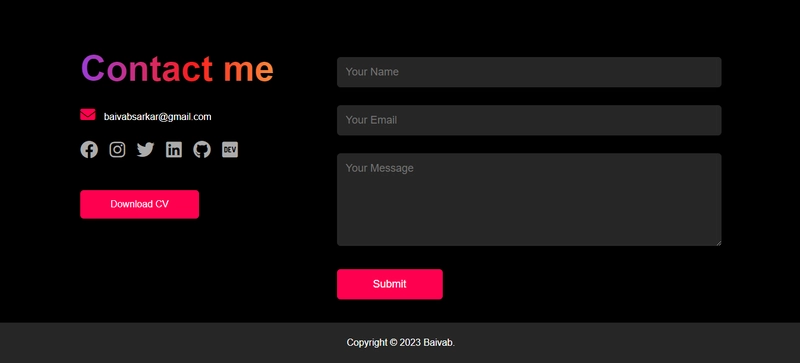
SCRIPT in the HTML file:
<script>
        const scriptURL = 'https://script.google.com/macros/s/AKfycbzwGkCv4dbdFpYjSYbThchpqYSgudoYmK_KtdmS6RkK-vyFqgPCKwxicx0xdmTErDjM/exec'
        const form = document.forms['submit-to-google-sheet']
        const msg = document.getElementById("msg")
        const waitMsg = document.getElementById("wait-msg")
        form.addEventListener('submit', e => {
            e.preventDefault();
            waitMsg.innerHTML = "Please wait...";
            fetch(scriptURL, { method: 'POST', body: new FormData(form) })
                .then(response => {
                    waitMsg.innerHTML = "";
                    msg.innerHTML = "Message sent successfully";
                    setTimeout(function () {
                        msg.innerHTML = "";
                    }, 5000);
                    form.reset();
                })
                .catch(error => {
                    waitMsg.innerHTML = "";
                    console.error('Error!', error.message);
                });
        });
</script>
After clicking the "Submit" buttom.
"Please wait..."
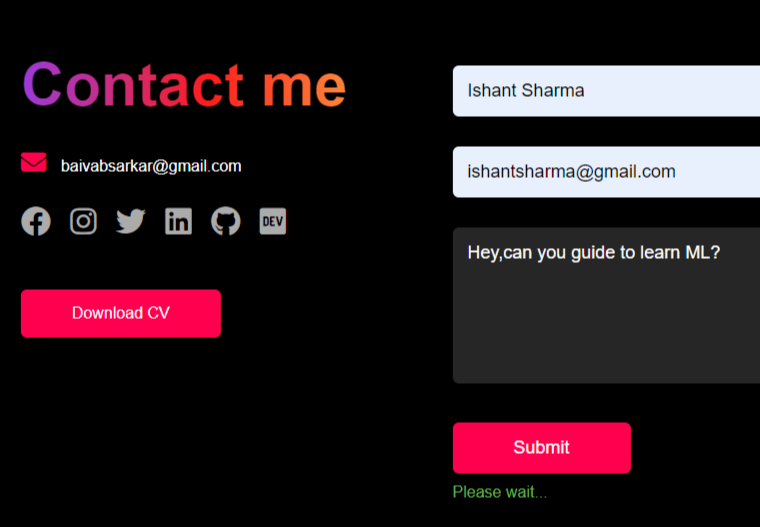
After sending Message.
"Message sent successfully"
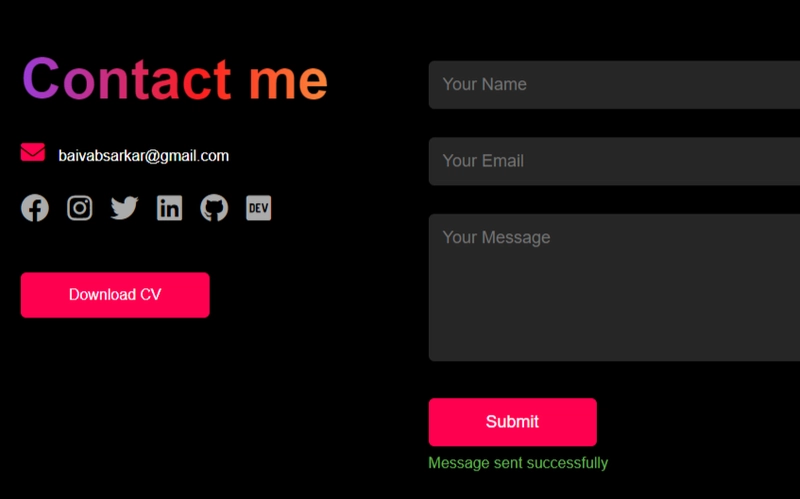
Drop a Comment to Show Your Support and Connect. Let's Make Learning and Creating Together! #ShareYourThoughts #EngageAndConnect